HylaFax on Debian Squeeze

The installation of hylafax on Debian Squeeze went like a charm. I just had to plug the UM3100 modem into the usb port and follow the instructions on the official Debian wiki.

# apt-get install hylafax-server
# faxsetup

The only tricky part was with handling fax attachments. While there are problems getting PDF attachments to work, postscript attachments worked right out of the box as it is pure text.

It seems that ‘metamail’ is required to get PDF to work but this package has since been abandoned in Debian.

Since I do not expect to be getting volumes of faxes, I decided not to waste too much time in getting PDF to work. I am happy enough with just getting PS attachments instead.

If someone else manages to get PDF fax attachments to work on Debian (post etch), please feel free to add to the comments below.

Unifi Speed Test

I had Unifi installed at home today. The whole process was rather cumbersome but the contractors managed to get things done in about 2-hours or so. Instead of drilling holes in the wall, I had them thread the fibre through the ceiling into my server rack. This cost me RM200 extra.

After that, the contractor showed me the speedtest results with OOKLA.

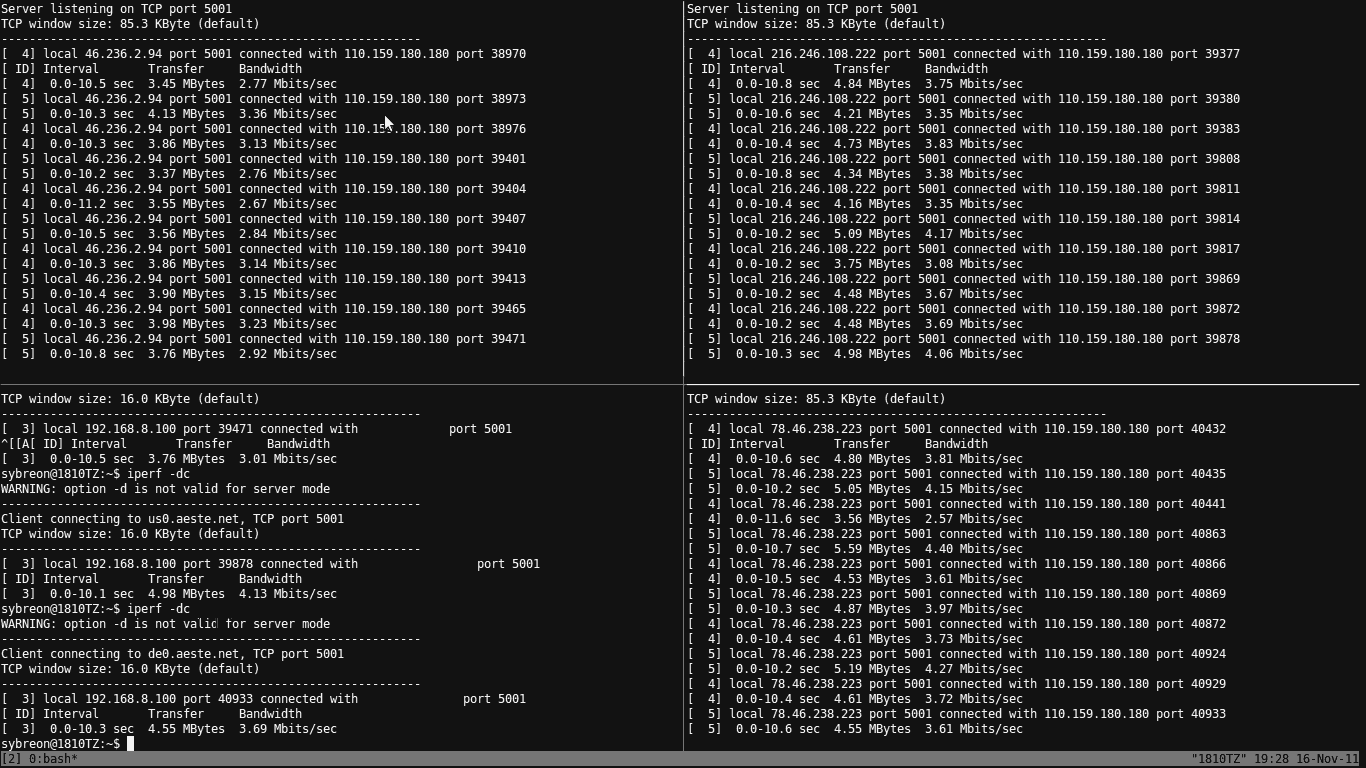
I had ordered the VIP5 package, which comes with a 5Mbps line. Seeing that OOKLA reported a 4.8Mbps speed was quite a good sign. However, instead of just trusting OOKLA, I decided to do a little test of my own. I ran my own iperf tests against my servers in the UK, US and Germany.

The results are a mixed bag but generally, it averages above 3Mbps.

I won’t really complain much at the moment until I complete testing it further. One thing that I’m not quite happy with though, is the need to use the supplied DIR-615 router. I will need to investigate the possibility of using my own router further.

PS: I noticed that the results depend on the network that I get to connect to. This is another result that I obtained later in the night. Look at the speeds and ping latency!

UM3100 Linux Modem

The Aztech UM3100 USB modem is the easiest USB modem that I’ve gotten to work with Linux. It worked amazingly straight out of the box with Ubuntu 10.04 LTS. I am going to try it with Debian Squeeze this weekend but I’m assuming that it’ll work just as well too.


Nov 3 21:35:24 1810TZ kernel: [15232.924056] usb 4-2: new full speed USB device using uhci_hcd and address 3
Nov 3 21:35:27 1810TZ kernel: [15235.530776] usb 4-2: configuration #1 chosen from 2 choices
Nov 3 21:35:27 1810TZ kernel: [15235.533700] cdc_acm 4-2:1.0: ttyACM0: USB ACM device

I tried making a call and receiving a call from the modem using AT commands and they work. So, I’m guessing that it’ll work okay for fax operations, which is the reason why I bought the modem to begin with.

I’m going to set up hylafax at the office this weekend because, for some reason, everyone still expects you to have a fax machine in this day and age. I plan to just hook the modem to my print server and set it up as a soft fax – receiving faxes as email and sending faxes as a print job.

Hope it all works.